Where the wheels touched
How far past the threshold, how far off the centerline, and where you stopped. Distances along the runway are exact; its width is drawn wider.
It runs beside Microsoft Flight Simulator 2024 on your PC, records each landing, grades it against the aircraft you flew and keeps it. Everything below is drawn from sample landings.
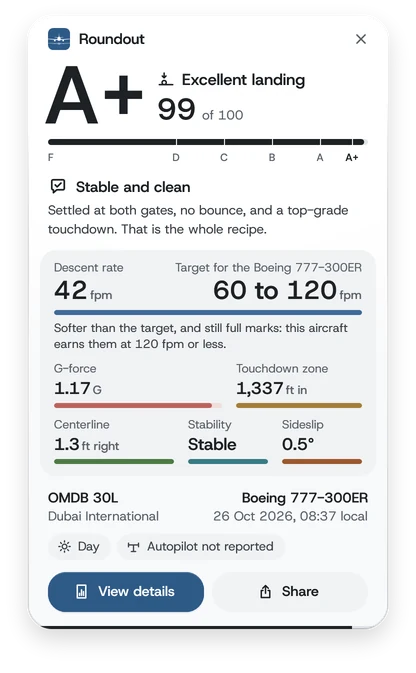
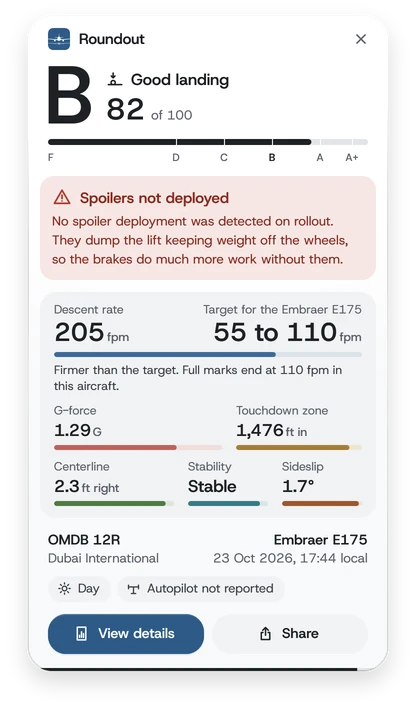
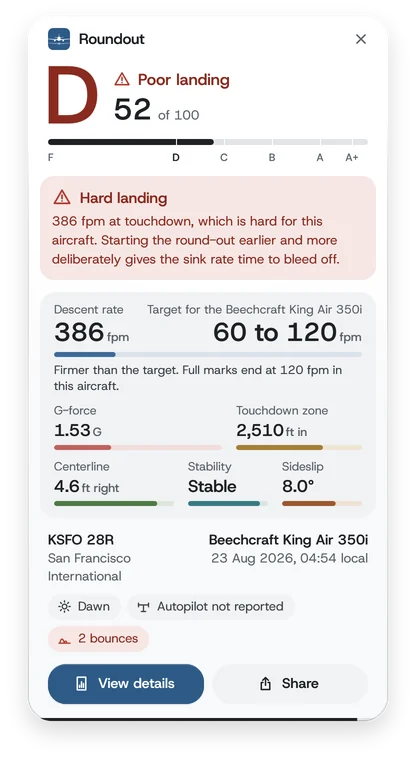
The same landing on each of them. Pick one in Settings, General, under "Score card after each landing". The shorter ones show less and close sooner.
The grade, the coach's note, all six parts with their readings, the airport and the aircraft, View details and Share.
Closes after 30 s, or 35 s with a warning
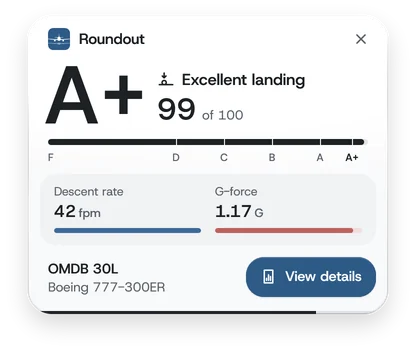
The top of the detailed card, the two readings that carry half the score, the airport and the aircraft, and View details.
Closes after 15 s, or 20 s with a warning
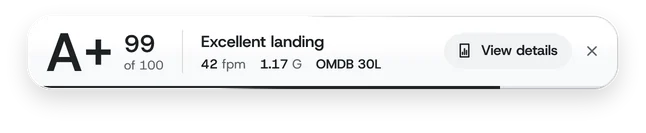
One band: the grade, the score, the verdict, the two readings, the airport and View details. It takes the least height, so the runway stays in view.
Closes after 15 s, or 20 s with a warning
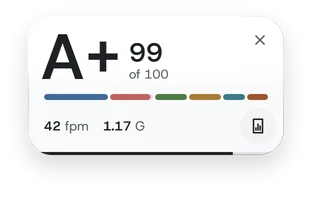
The smallest: the grade, the score, the six parts as one bar, the two readings, and a round button for View details.
Closes after 15 s, or 20 s with a warning

Nothing opens. Your landings are still scored, saved and synced.
Under the box. It shows the one you chose over your screen, with a sample landing.
On a landing's report it opens the card you chose, or the detailed card with Off.
Each part gets its own score, and its weight sets how much it counts. A bounce or a tail strike costs points, and a strong crosswind is allowed for.
The thresholds are anchored to published sources: FAA and EASA certification rules, and manufacturers' flight manuals and inspection criteria. See how each part is scored
Roundout matches the aircraft's title from the sim to a named profile. If none fits, it takes the aircraft's family, then its category. An aircraft it can't place is scored with default values, and the report says so.
Roundout records the whole approach, then the flare: where it began, how long it took and how far you floated.
Recorded each second, with the stability checks on the way down. Read any approach back in the app or on your account, or save it with Raw data.
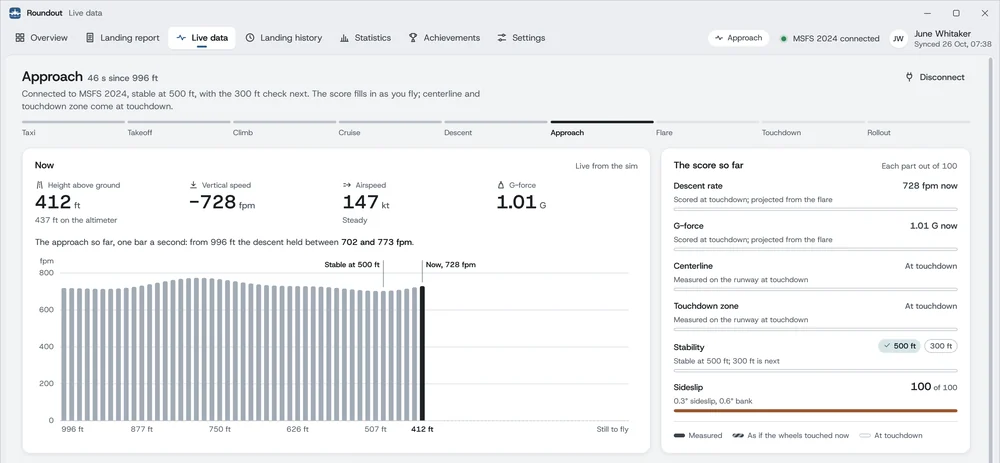
A page of the app follows the flight: height, vertical speed, airspeed and G-force, the approach so far, the two stability checks, and the score so far, as if the wheels touched now.
ILS needles, attitude, wind, flaps, spoilers and the autopilot's modes are there too.
No averaging and no smoothing: the values at contact, measured against the runway itself, as a flight data recorder keeps them.
How far past the threshold, how far off the centerline, and where you stopped. Distances along the runway are exact; its width is drawn wider.
The airport's real-world weather report from the moment of touchdown, read for you. A strong crosswind is allowed for in the grade.
Every landing is kept on your PC, even when you fly offline, and your statistics grow with it.
In the app and on your account: your average score, grade spread, A+ rate over time, monthly flying, top aircraft and airports, softest touchdown and strongest crosswind.
From your first landing to strong crosswinds and the world's most demanding airports, with a mastery ladder for each aircraft family you fly.
Landings sync to your private account shortly after each flight, and the website shows the same report.
Landings upload shortly after each flight and come back onto a new PC with one click, each with its approach when you open it. Sync is on by default. We never use your landings for marketing or AI training.
Move between PCs from the app or your account. If your key leaks, replace it; to give Roundout away, ask for a transfer from your account.
An instructor or a friend invites you by email. Once you accept, they can read your synced landings and comment on each one. Either of you can end it at any time.
Global, monthly and per aircraft, ranked by A+ rate with at least 10 landings. You appear only after choosing a public name, making your profile public and opting in.
Anyone with the link sees that landing's score card, report and approach, and nothing else of your account. Revoke it whenever you like.
Two-step sign-in with recovery codes, passkeys, a list of your signed-in sessions to end any of them, and a full data export. Deleting your account deletes it; your logbook on your PC stays.
On two PCs, with 14 days to change your mind. Every update included, and tax or VAT in most countries.